How to connect your AI
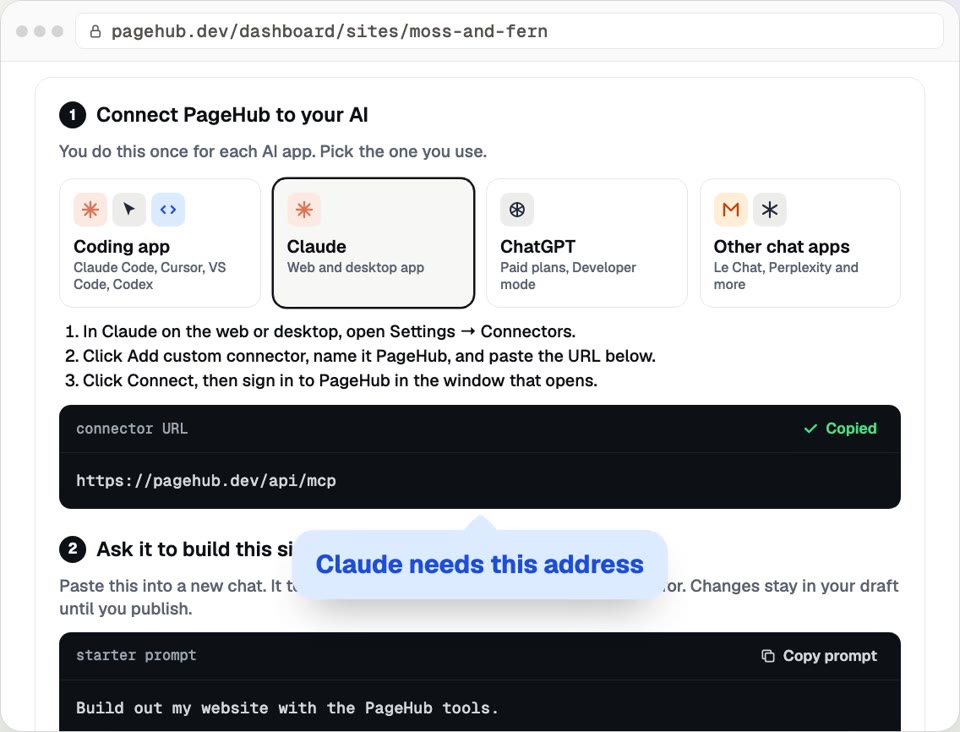
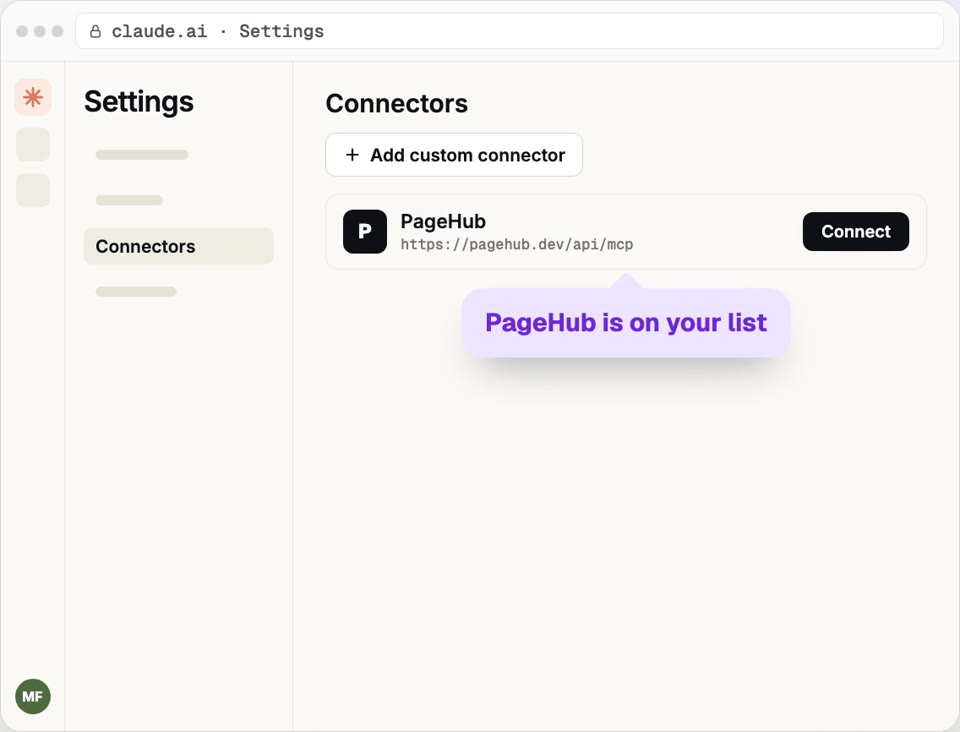
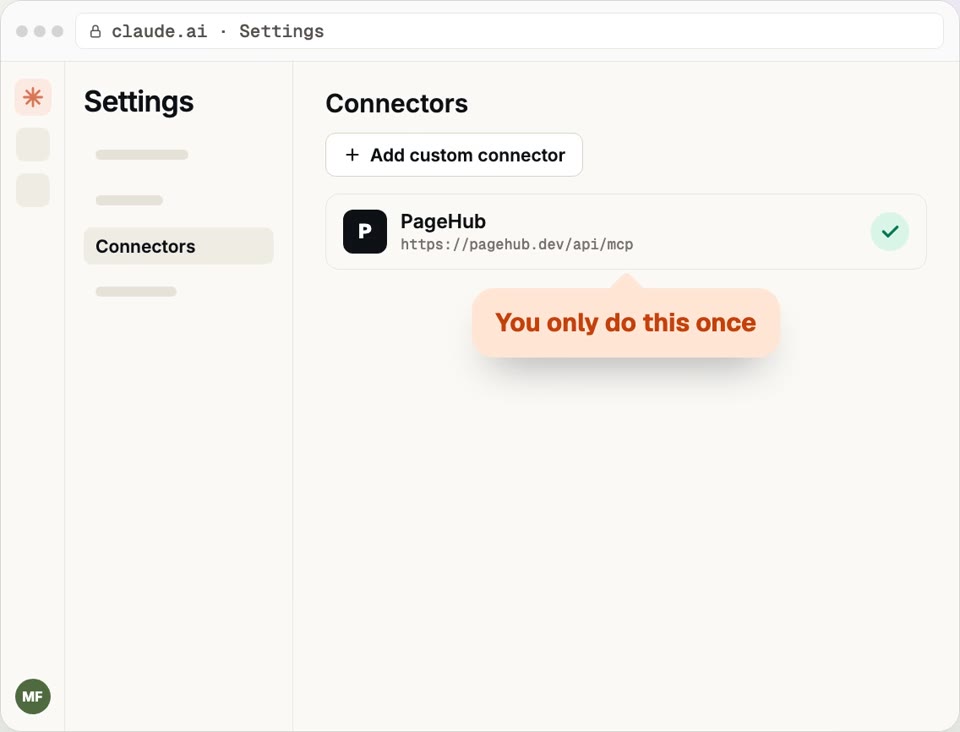
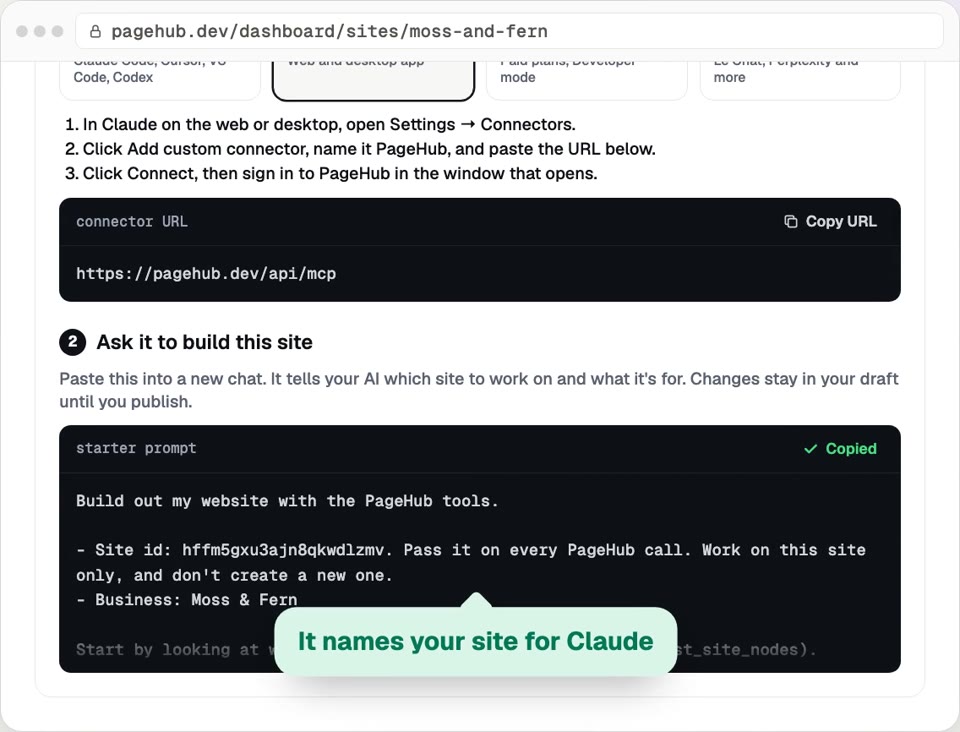
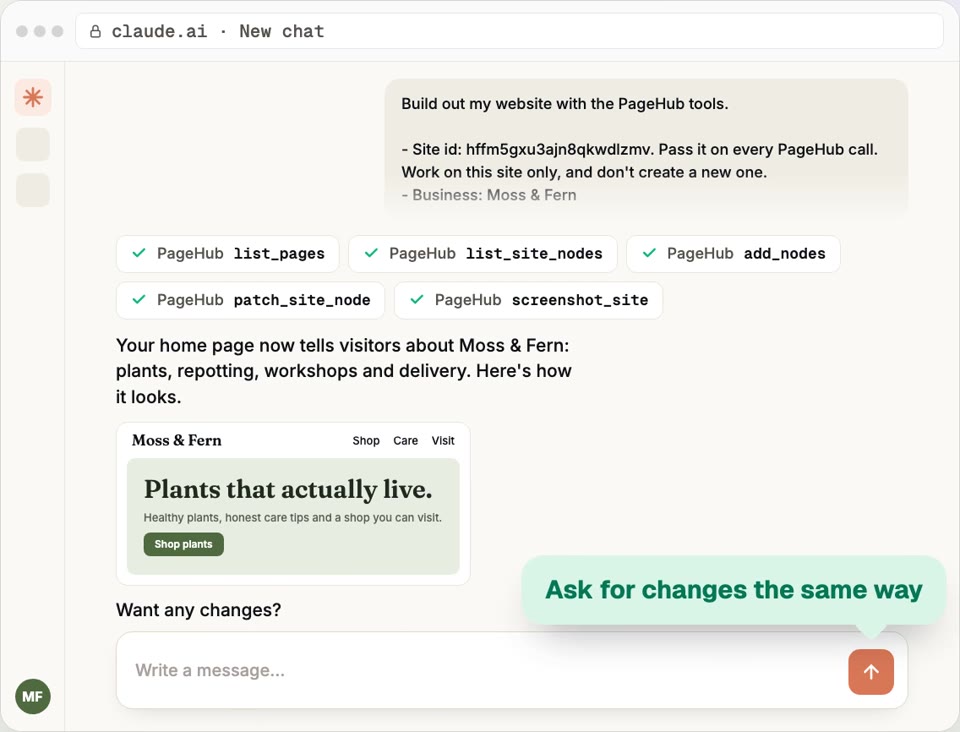
On your site's Overview, open Have your AI build it, pick Claude and click Copy URL. In Claude, open Settings, then Connectors, click Add custom connector and paste the URL. Click Connect and approve. Copy the starter prompt from Overview into a new chat. Claude builds in your draft, and nothing goes live until you publish.
Step by step
- Step 1
Open the AI steps
On your site's Overview, open Have your AI build it. Pick Claude, then Copy URL.
- Step 2
Add it to Claude
In Claude, open Settings → Connectors. Click Add custom connector and paste the URL.
- Step 3
Sign in to PageHub
Click Connect. In the window that opens, click Approve.
- Step 4
Give it the starter prompt
Back on Overview, click Copy prompt. Paste it into a new chat.
Ask, and it builds
It works in your draft. Nothing goes live until you publish.
Questions
How do I connect Claude to my PageHub site?
More how-to guides
How to make a collection
Make a collection for your team, services or listings, add one row per item, and show it on any page. Edit a row once and every page updates.
Updated
How to set up your shop
Connect Stripe, sync your products, add a shipping rate and drop a live product grid on your site. Payments go straight to your Stripe account.
Updated
How to add chat to your site
Turn on chat for your site, name the assistant, choose what it asks visitors and add the chat bubble. It answers from your own pages.
Updated
How to connect your domain
Put your site on a domain you own: type it in, copy the two DNS records, add them where you bought the domain, and PageHub confirms it's live.
Updated
How to get form submissions
Add a contact form to your site, give it a name and publish. Read every message in Form submissions and get each one emailed to you.
Updated
How to publish your site
Pick a free pagehub.dev address and put your site live in one click. Later edits stay in a draft until you publish them.
Updated
Try PageHub on your own domain
The free plan includes 1 published site on your own domain. No credit card.